Control your computer with voice.
Spoke Flow is a desktop app that turns your voice into commands. Dictate text, control the system, automate tasks - without touching the keyboard.
Why Spoke Flow?
A simple app that changes how you work with your computer.
Voice Control
Issue commands with natural voice. Open apps, switch windows, control the system hands-free.
Text Dictation
Dictate emails, documents, notes. Spoke Flow precisely converts speech to text in real-time.
Full Privacy
Your data stays on your computer. You use your own API key - no recordings are sent to us.
Lightning Fast
Lightweight app that works instantly. Zero delays, zero unnecessary features - just what you need.
Full Control
Configure the app to your needs. Choose language, customize commands, set keyboard shortcuts.
Open source mindset
Transparency and trust. You see exactly how the app works and what it does with your data.
Choose your plan
Flexible options tailored to your needs. Start for free.
BYOK
Bring Your Own Key
- Full app functionality
- Use your own Groq API key
- Full cost control
- Maximum privacy
Subscription
Convenience without configuration
- Everything from BYOK +
- Ready API key - zero configuration
- Priority support
- Early access to new features
How to get Groq key?
3 simple steps that take less than 2 minutes. Groq offers a free tier.
Create account on Groq
Go to console.groq.com and sign up for free. You can use Google or GitHub account.
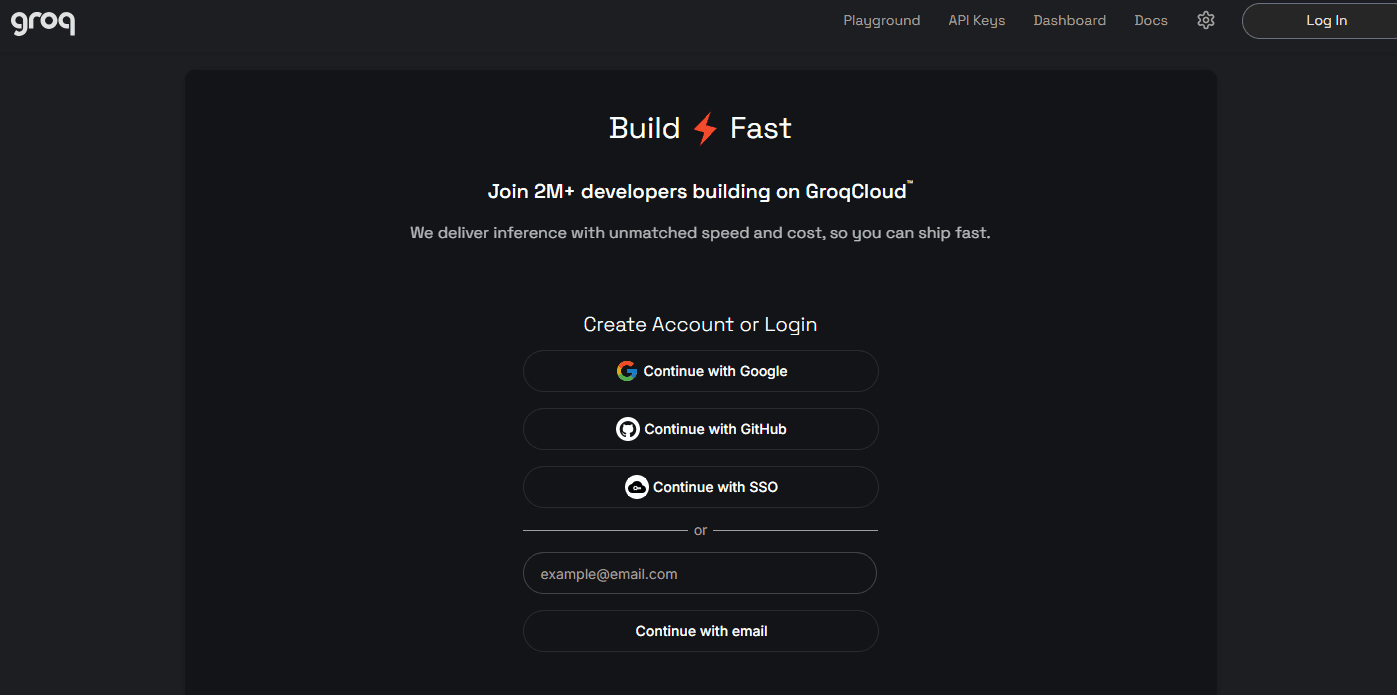
Go to API Keys section
After logging in, click "API Keys" in the sidebar. There you'll find the option to create a new key.

Copy and paste to Spoke Flow
Click "Create API Key", copy the generated key and paste it in Spoke Flow settings. Done!
Already have a key? Download the app and get started!
Download Spoke FlowRoadmap
Where we are and where we're heading. Transparent about our plans.
Basic voice control
Text dictation, basic system commands, Groq API integration.
Basic voice control
Text dictation, basic system commands, Groq API integration.
Desktop application
Native app for Windows, macOS and Linux with system tray.
Desktop application
Native app for Windows, macOS and Linux with system tray.
Phone control
Mobile app as remote for computer. Speak to phone, computer executes.
Phone control
Mobile app as remote for computer. Speak to phone, computer executes.
Advanced commands
Custom voice commands, macros, automations.
Advanced commands
Custom voice commands, macros, automations.
Full system control
Voice control of all OS aspects. Full OS Control.
Full system control
Voice control of all OS aspects. Full OS Control.
Download Spoke Flow
Choose the version for your system and start controlling your computer with voice today.